The January, 2013 release of BLOX CMS adds a ton of features and upgrades designed to make it easier than ever to manage your site and produce great content.
Streamlined block creation and editing
The Block Editor has been completely revamped to make it easier and more efficient to change your site's content and layout.
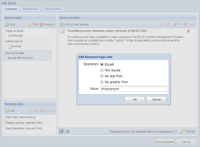
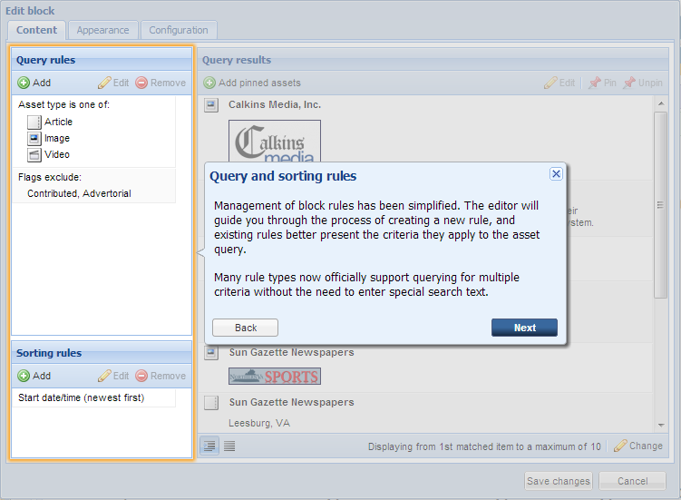
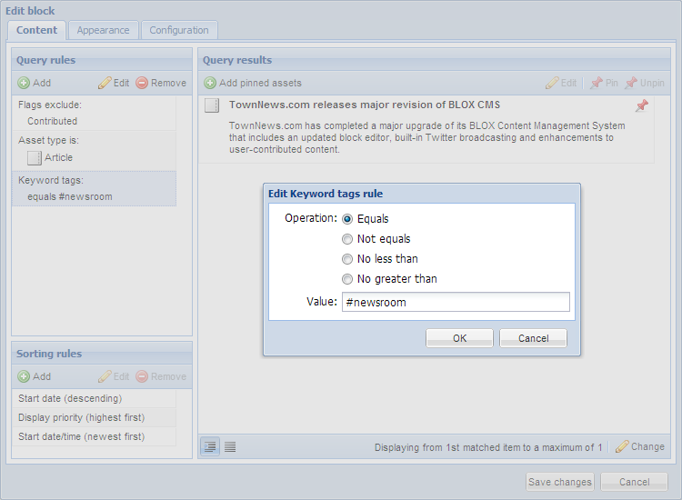
Now, you can build query rules, change sort order and pin/unpin content in a straightforward visual editor. The "Query rules" pane breaks your query down into a simple list, making it easy to understand and adjust.
Best of all, your query results display instantly, so you see exactly what your readers will see before you ever click "Save."
Self-explaining Block Editor
We work hard to make BLOX easy for users of all technical capabilities, but some features simply require more explanation than others.
BLOX CMS's Block Editor is a good example. It's easy to say "this is where you select the content you want to appear in this spot," but the details gum up the works. What type of content? How many items? In what order? Before you know it, you're digging through docs.
There's no substitute for good documentation, but wouldn't it be great if the interface itself told you how to use it? That's exactly what our redesigned Block Editor does.
The first time you create or edit a block, you're presented with a visual tutorial that walks you step-by-step through the process. Features and usage are explained in plain English, making that "learning curve" look a little bit less curvy.
Indicate important updates
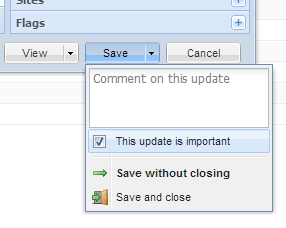
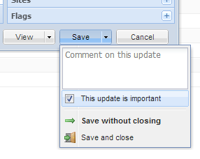
Now, you can painlessly flag and add comments to important editorial changes. When you click "Save," simply check "This update is important" and type an explanation of the change in the comment box.
The document's revision log will display your comment along with the date and time of the revision, making its editorial history easier to follow.
Status indicator for unpublished assets
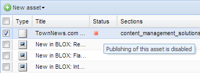
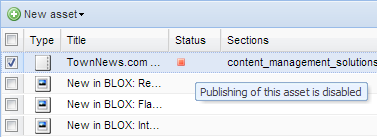
To make your workflow more manageable, the BLOX Editorial System's "Status" column now indicates an asset's publication status, so it's a snap to identify unpublished assets.
TownNews.com constantly upgrades its software and releases major upgrades every few months. If you use BLOX CMS, you already have access to these great new features. Simply log into your admin and start working. If you don't use BLOX, what are you waiting for? Call 800-293-9576 today!