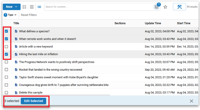
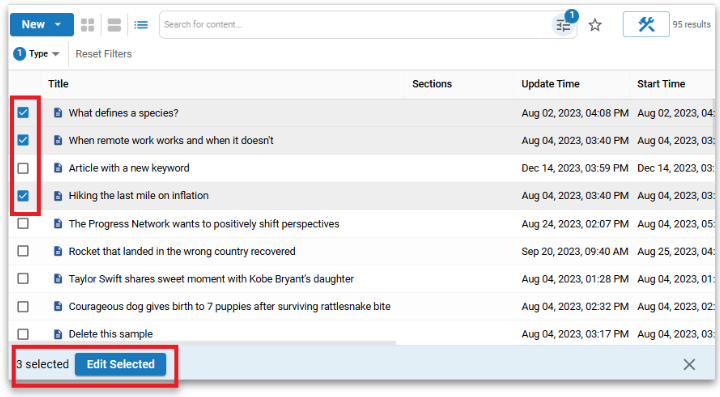
You can now make changes to multiple assets at once in NXT. Editors can select assets from List, Grid, or Summary views using checkboxes with support for Shift+Click and Ctrl/Cmd+Click, then take action using a new Selection Bar that appears at the bottom of the screen. From there, you can perform batch updates to metadata such as Sections, Sites, Flags, and Authors. Even more options will be rolled out over time.
Select All is supported across entire search sets, and actions like View or Edit adapt based on your selection count. All bulk updates run as background tasks with a full log of changes, helping editors work faster and more efficiently across large groups of content.
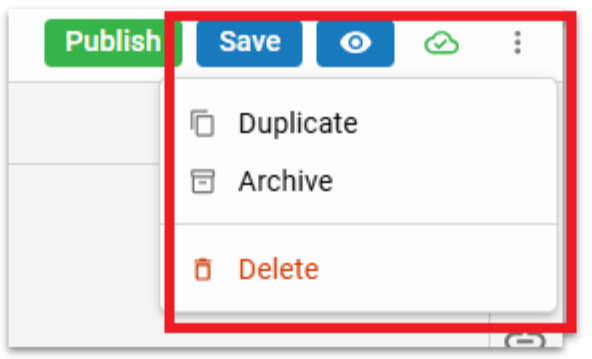
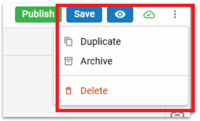
A new "More" button has been added to all asset interfaces in NXT, offering a dropdown menu with frequently used actions to streamline workflows and reduce clutter. Positioned alongside primary action buttons, this menu consolidates less common but important options into a single, accessible location.
Editors can now quickly Duplicate assets (with “(copy)” appended to the headline), Archive content via a modal with a customizable date, or schedule a Delete action with a clearly highlighted confirmation. This update enhances usability and supports faster, more organized asset management.
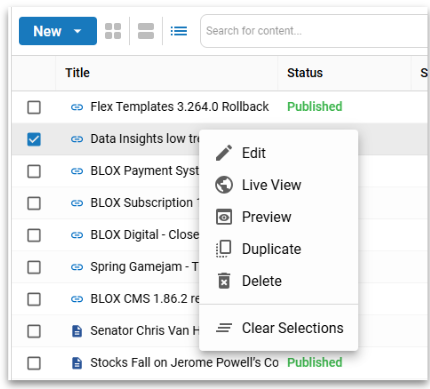
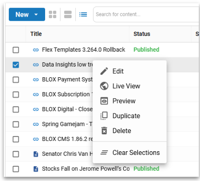
We've introduced a right-click context menu in the Editorial application, bringing back a familiar and efficient workflow from our legacy CMS. Users can now right-click on asset rows in search views or from the Asset Library toolkit to quickly access common actions like Edit, Preview, Live View, Duplicate, Delete, and more—without navigating through top-level menus. The menu supports both single and multi-select, respects current tab state, and follows our design system for consistency. This update helps high-volume editors work faster with fewer clicks.
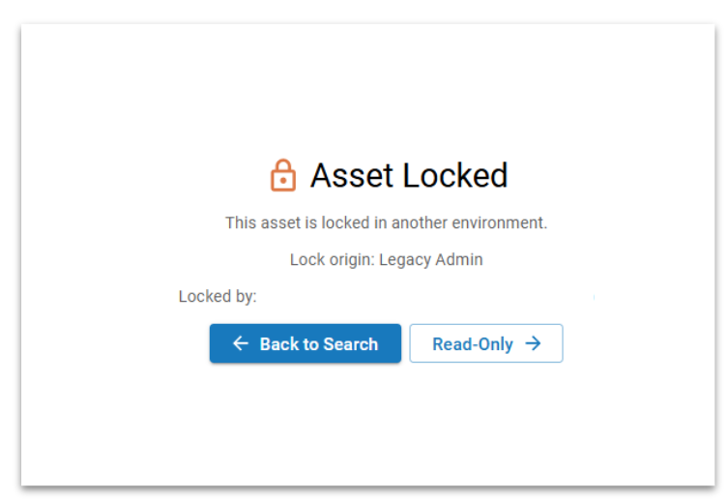
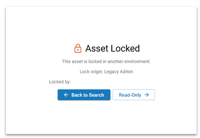
Previously, locked assets could not be opened in NXT Admin, but now users can enter a read-only mode to view asset details without editing—enhancing usability while preserving lock integrity from the legacy system.
You can now make changes to multiple assets at once in NXT. Editors can select assets from List, Grid, or Summary views using checkboxes with support for Shift+Click and Ctrl/Cmd+Click, then take action using a new Selection Bar that appears at the bottom of the screen. From there, you can perform batch updates to metadata such as Sections, Sites, Flags, and Authors. Even more options will be rolled out over time.
Select All is supported across entire search sets, and actions like View or Edit adapt based on your selection count. All bulk updates run as background tasks with a full log of changes, helping editors work faster and more efficiently across large groups of content.
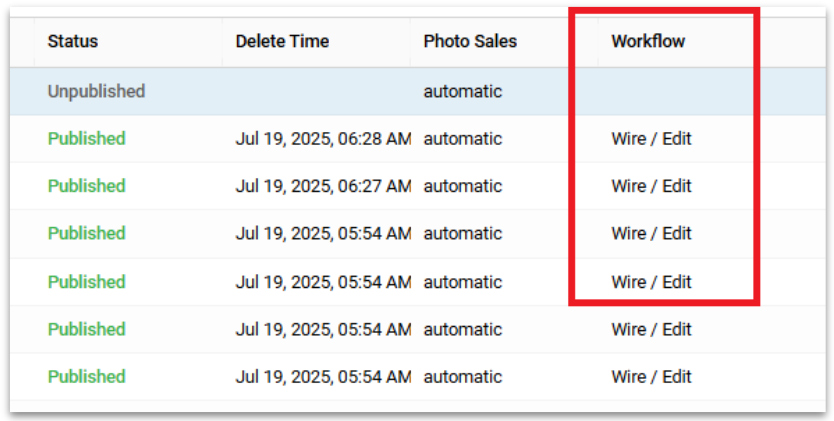
Key "Workflow" fields were missing from the Editorial application, limiting filtering and column customization options.
A new "More" button has been added to all asset interfaces in NXT, offering a dropdown menu with frequently used actions to streamline workflows and reduce clutter. Positioned alongside primary action buttons, this menu consolidates less common but important options into a single, accessible location.
Editors can now quickly Duplicate assets (with “(copy)” appended to the headline), Archive content via a modal with a customizable date, or schedule a Delete action with a clearly highlighted confirmation. This update enhances usability and supports faster, more organized asset management.
We've introduced a right-click context menu in the Editorial application, bringing back a familiar and efficient workflow from our legacy CMS. Users can now right-click on asset rows in search views or from the Asset Library toolkit to quickly access common actions like Edit, Preview, Live View, Duplicate, Delete, and more—without navigating through top-level menus. The menu supports both single and multi-select, respects current tab state, and follows our design system for consistency. This update helps high-volume editors work faster with fewer clicks.
Previously, locked assets could not be opened in NXT Admin, but now users can enter a read-only mode to view asset details without editing—enhancing usability while preserving lock integrity from the legacy system.
We've introduced key editorial features and improvements, such as Batch Edit, enhanced workflow fields, a new "More" button, and a right-click context menu. Other enhancements include print compatibility, collaborative locking, site-specific AI settings, clearer social summary inheritance, restored site tags field, and a full-screen details view for managing services. A Trending Widget now links directly to an asset performance dashboard, and bug fixes have resolved issues with saved searches, Authors modal, inline asset videos, and UI problems in search screens.
Let us answer your questions and introduce you to BLOXDigital, the industry's premier content delivery platform tailored for modern digital media enterprises.
Learn how to boost revenue, audience engagement, and efficiency.