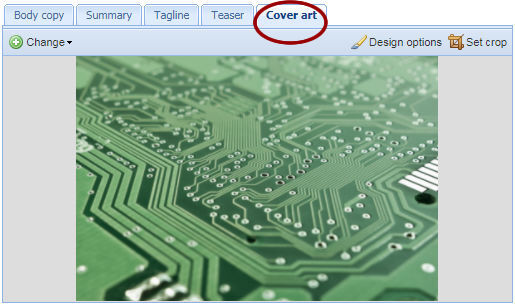
Get ready to create some amazing, magazine-style mobile designs!
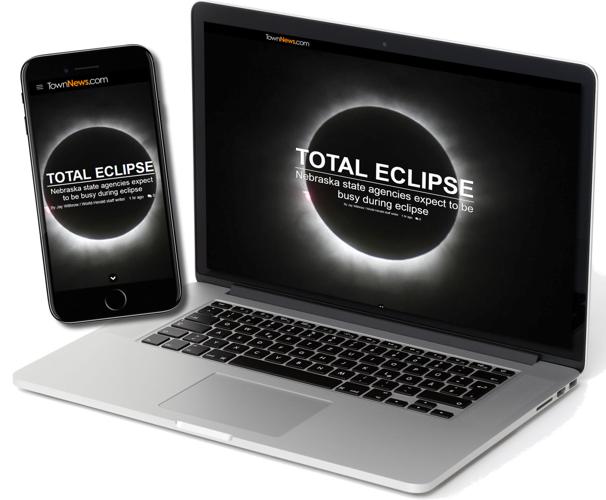
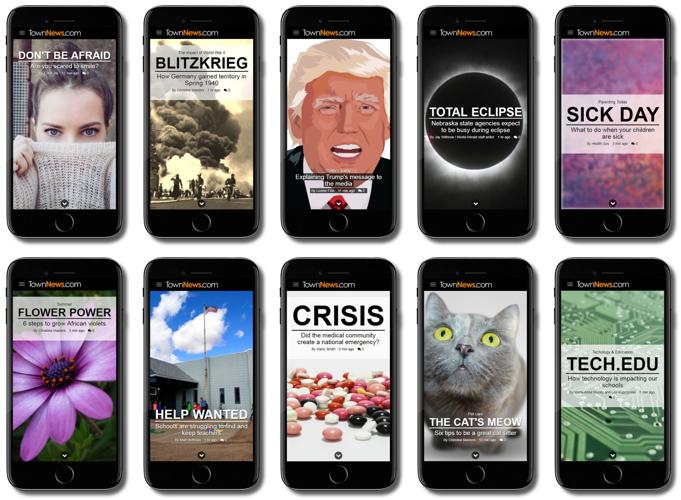
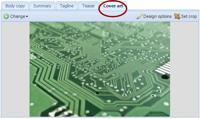
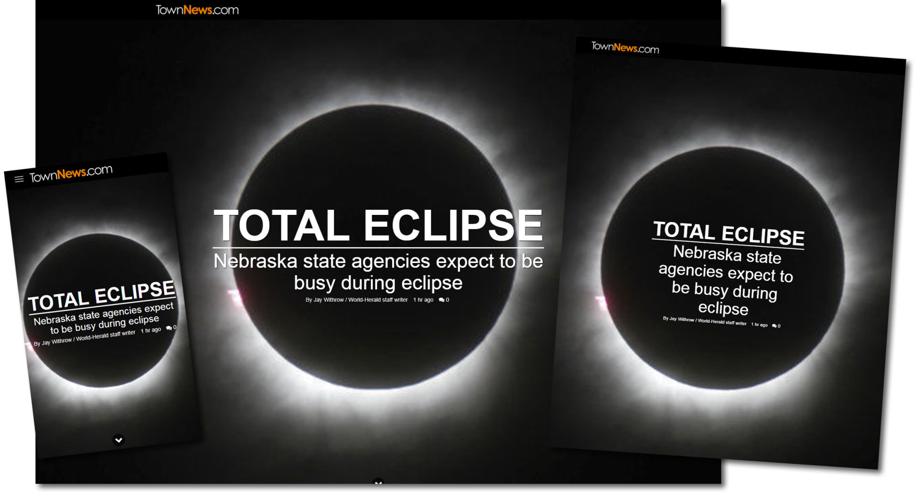
Cover Art is a new feature from TownNews.com’s BLOX CMS that allows writers and editors to choose an eye-catching introductory image for their story. It is like a magazine front page, but tailor-made for mobile devices.
A full-page presentation on desktop and mobile devices.
A panel of new Design Options to dictate how the headline elements integrate with the artwork.
Compelling new style options for the Cover Art image, such as parallax, Ken Burns effect, sepia tone and more.
Cover Art is an aspect of the story, not an asset, so it can be decorative in nature.
Touches of animation to make the layout more attractive and professional (like the Ken Burns effect style, the widening separation line, the subtly bouncing “scroll down” arrow).
What is Cover Art?
The Covert Art feature is part of our new Article Designer—a set of terrific tools that give newsrooms the power to create stunning, engaging new presentations for their articles.
Cover Art is like a story teaser image because it isn’t a related asset, but rather, part of the story itself. This means it can just be decorative (like a pattern or gradient), but doesn’t need to stand alone as an asset and won’t be found in search results.
Part of the compelling presentation of Cover Art is that it integrates smoothly with the article’s title elements, creating a magazine-like front page experience for the article.
Newsroom editors also have a host of new Design Options to control how the title elements are controlled.
What are the Cover Art Design Options?
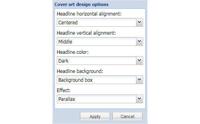
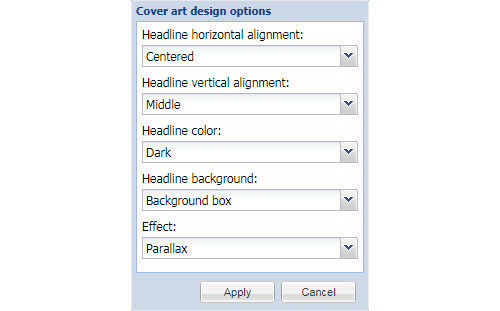
Design Options allow editors to style and add effects to their Cover Art designs.
These options include:
Headline horizontal alignment: Position the headline elements to the left, right or center. It will default to center on mobile devices.
Headline vertical alignment: Align the headline elements to the top, middle or bottom.
Headline color: This setting can be either light or dark.
Headline background: This option can be either none, background box or text-in-a-box. The headline background coloration will be the opposite color of the headline itself, depending on what headline color is chosen.
Effect: This option allows some easy styling effects for the Cover Art image. The image itself is not changed since these effects use modern CSS for implementation.
Note that the Design Options button (available in the Cover Art tab) does not show up until a Cover Art image has been uploaded.
Let us answer your questions and introduce you to BLOX Digital, the industry's premier content delivery platform tailored for modern digital media enterprises.
Learn how to boost revenue, audience engagement, and efficiency.