

Boost newsroom efficiency with Story Templates for BLOX NXT.
Every newsroom has its rhythms. The Friday night game recap. The city council summary. The weekend obituary. The breaking weather brief. These aren't one-off pieces — they're formats your team has written dozens, maybe hundreds of times.
Many newsrooms have found a workaround: duplicate an old article, strip out the content, and set the publish date to something far in the future — 2099, say — so it never accidentally goes live. It works, until it doesn't. Those phantom articles pile up alongside your real content, clutter your search, and occasionally cause a scare when someone accidentally publishes one.
So why does each one still start from a blank page?
Story Templates, now available in BLOX NXT, fix that. Instead of recreating the same structure, tags, and metadata from memory every time, your editors can now start any recurring story type from a pre-built template — with the right fields already filled, the right section already set, and the right keywords already attached.
What a template actually saves you
It's not just the 30 seconds of typing. It's the forgotten section tag that misroutes a story. The missing keyword that keeps it out of the right widget. The new reporter who doesn't know the obituary format yet. Templates make your institutional knowledge portable — when your best editor sets one up, everyone benefits.
Recipes: Story Templates you can start with immediately
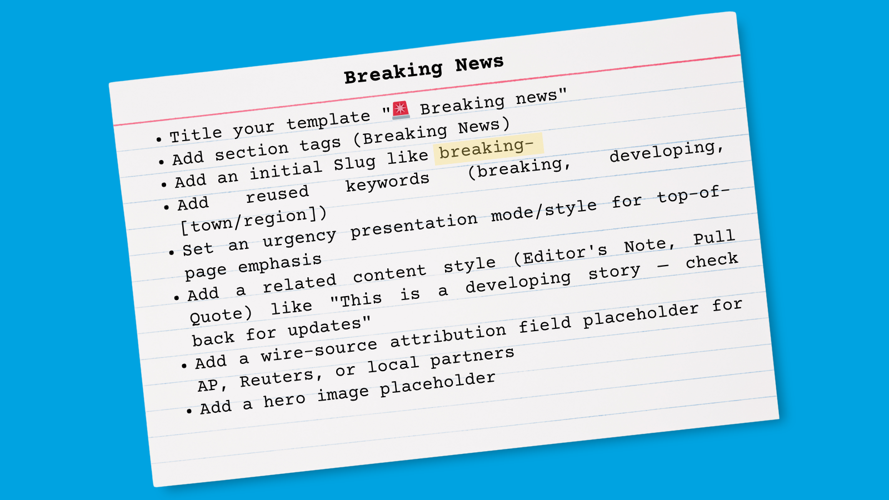
Story Template: Breaking News
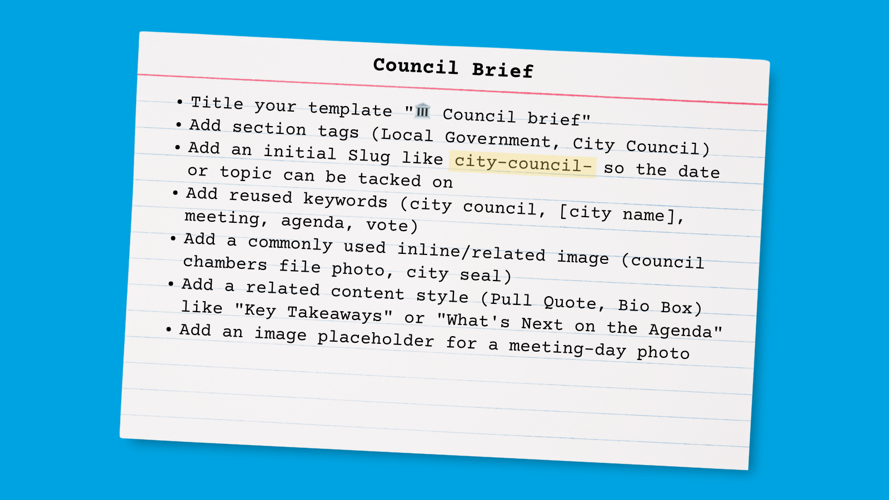
Story Template: Council Brief
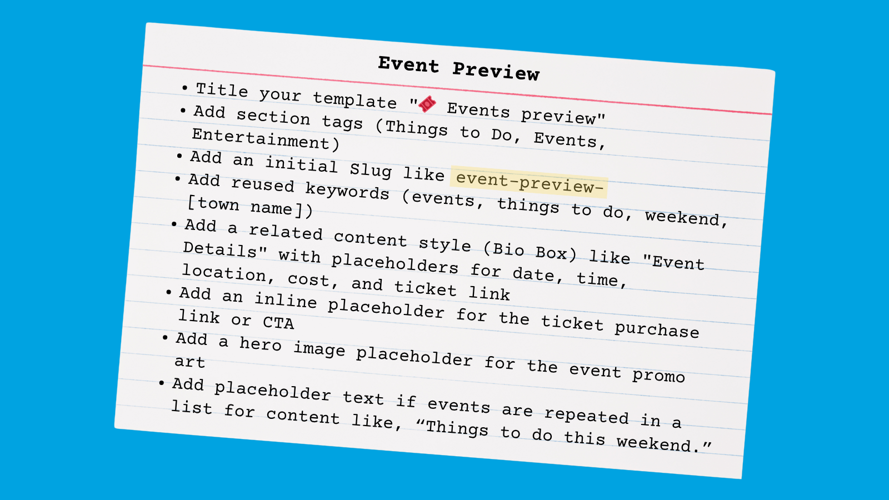
Story Template: Event Preview
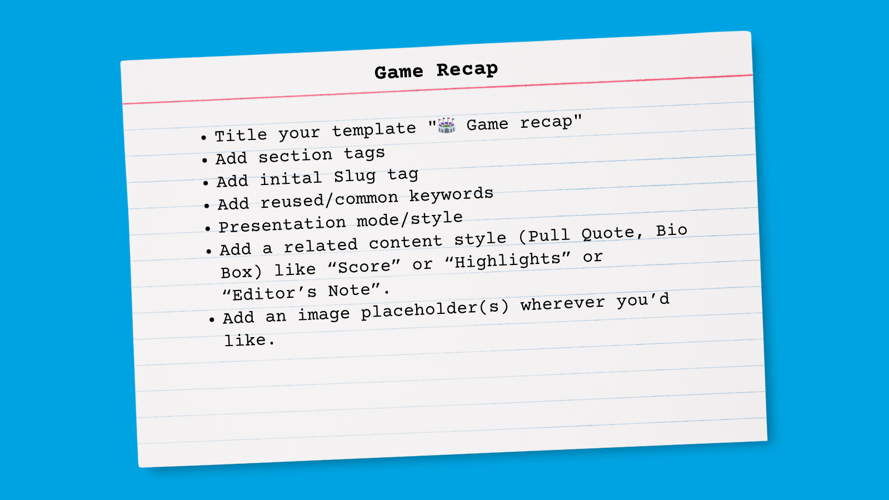
Story Template: Game Recap
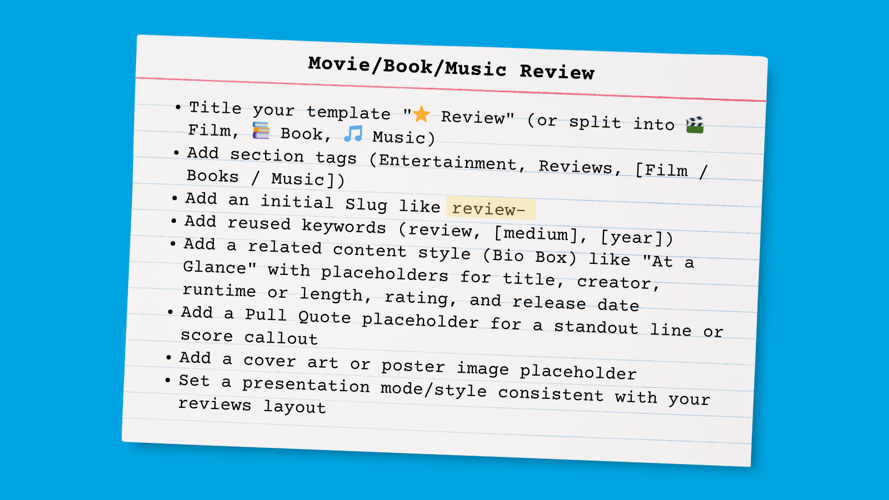
Story Template: Book/Movie/Music Review
The real value: Templates aren't just a time-saver for veteran reporters. They're onboarding for new ones — a living guide to how your newsroom structures its most common story types. None of these are hypothetical — they're the story types most regional newsrooms publish week in, week out. Each one is a good candidate for a template on day one.
How to get started
Getting your first template set up takes about two minutes:
Open any existing article that represents the format you want to save — or create a clean one from scratch with the right structure.
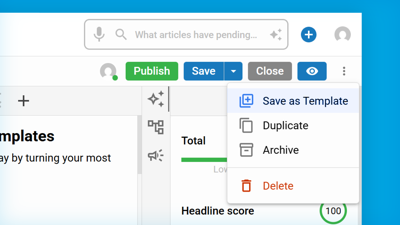
In the article editor, select Save as Story Template from the More Actions menu. Give it a clear name your team will recognize. Heck, give it an emoji!
The next time someone creates a new article, they can select that template from the Templates search under Assets — or, if your site has beta access, directly from the Create Asset modal.
That's it. The template captures everything: section tags, keywords, related media slots, and presentation settings. Your team gets a head start on every story that follows. Need to make a change? Open the template, apply your update and Save those changes.
For more information on how to get started, visit our documentation.
A few things worth knowing
Templates are stored separately from your regular content, so they won't show up in your article search or clutter your workflow. You can browse, duplicate, and manage all your templates from the dedicated Templates view in the left navigation.
And if your site is part of the BLOX NXT Beta Program, you'll also see template selection right in the Create Asset modal—making it even faster to start a new article from a known format. That experience will be available to all sites in an upcoming release.
What's the most-repeated story type in your newsroom? That's your first template. Once you've built a few, you'll wonder how you ever started without them.


