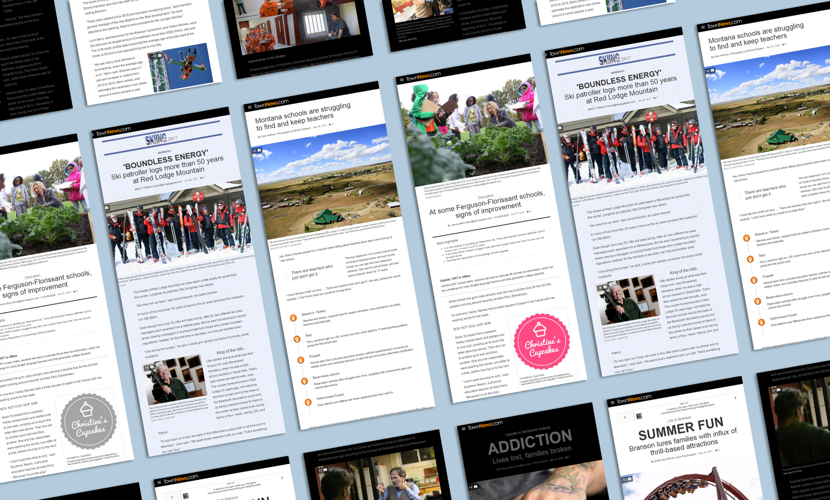
The newly updated Article Designer for BLOX CMS adds a suite of tools that makes creating modern long-form stories and magazine-style page layouts easy.
Your stories, told your way
The revamped Article Designer gives writers and editors far more control over the look and feel of their articles.*
Incorporate videos, photos and galleries throughout the body of your articles, keeping readers engaged as they scroll, and bolstering your time on site metrics.
And it's simple—just drag and drop!
Drag and drop almost everything
"Drag and drop" isn't a new concept in BLOX CMS—you've long been able to place images, tweets and other content in the body of an article. We've extended this capability, adding support for all varieties of asset relationships (child, sibling, parent), and related content like article highlights, pull quotes and corrections.
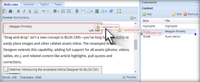
Drag related content like pull quotes inline, and right-click to set sizes and positions.
Each content type has a smart default presentation that adjusts for optimal display on all devices—especially mobile. An article's layout and design can easily be changed by your content creators, no coding required.
And because BLOX CMS is fully-integrated, you can even enhance your stories with inline calendar events, classified ads and business directory listings.**
Easy formatting and alignment
Easily change the alignment, size and presentation of images and other inline content.
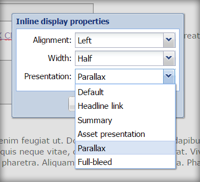
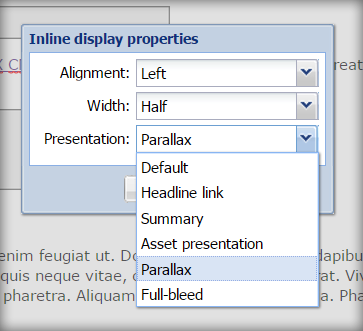
After you've placed an image (or other related item) inline, you can set its alignment, size and presentation mode with a simple right-click.
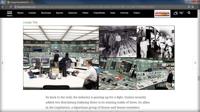
We've added a variety of new photo presentation modes to help you create eye-catching layouts. "Parallax" allows your text to flow over a stationary background image, adding an element of interactivity, while "full-bleed" lets your most stunning photos run all the way to the edges of the viewport.
Inline mosaic galleries
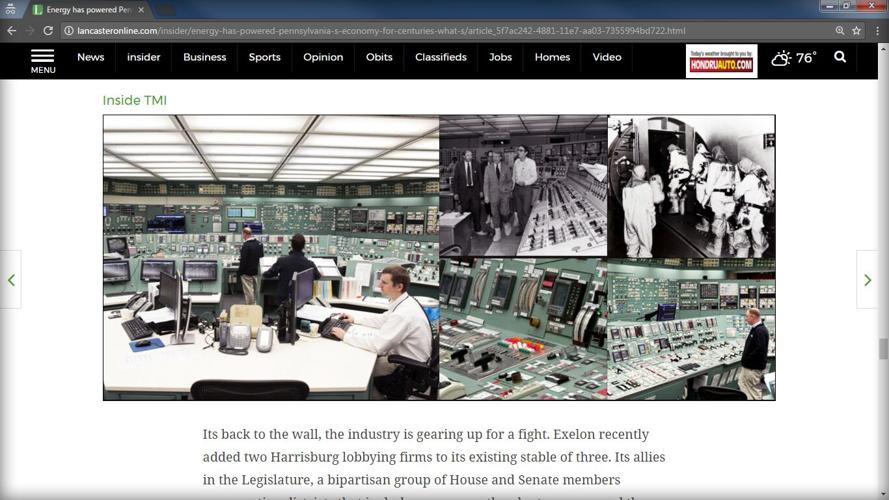
Our new mosaic collections give you a slick and modern way to enrich stories with new pictures or photos from your archives.
LancasterOnline uses an inline mosaic image gallery to present a series of photos from its archives.
Like all of our new Article Designer features, mosaic galleries are responsive—they look great on smartphones, tablets and desktops!
How to get started with Article Designer
The revamped Article Designer is now available to all users of BLOX CMS (with Flex Templates). Simply open or create an article and start editing. If you don't use BLOX CMS, or haven't upgraded to Flex Templates, contact us today to get started.
Let us answer your questions and introduce you to BLOX Digital, the industry's premier content delivery platform tailored for modern digital media enterprises.
Learn how to boost revenue, audience engagement, and efficiency.